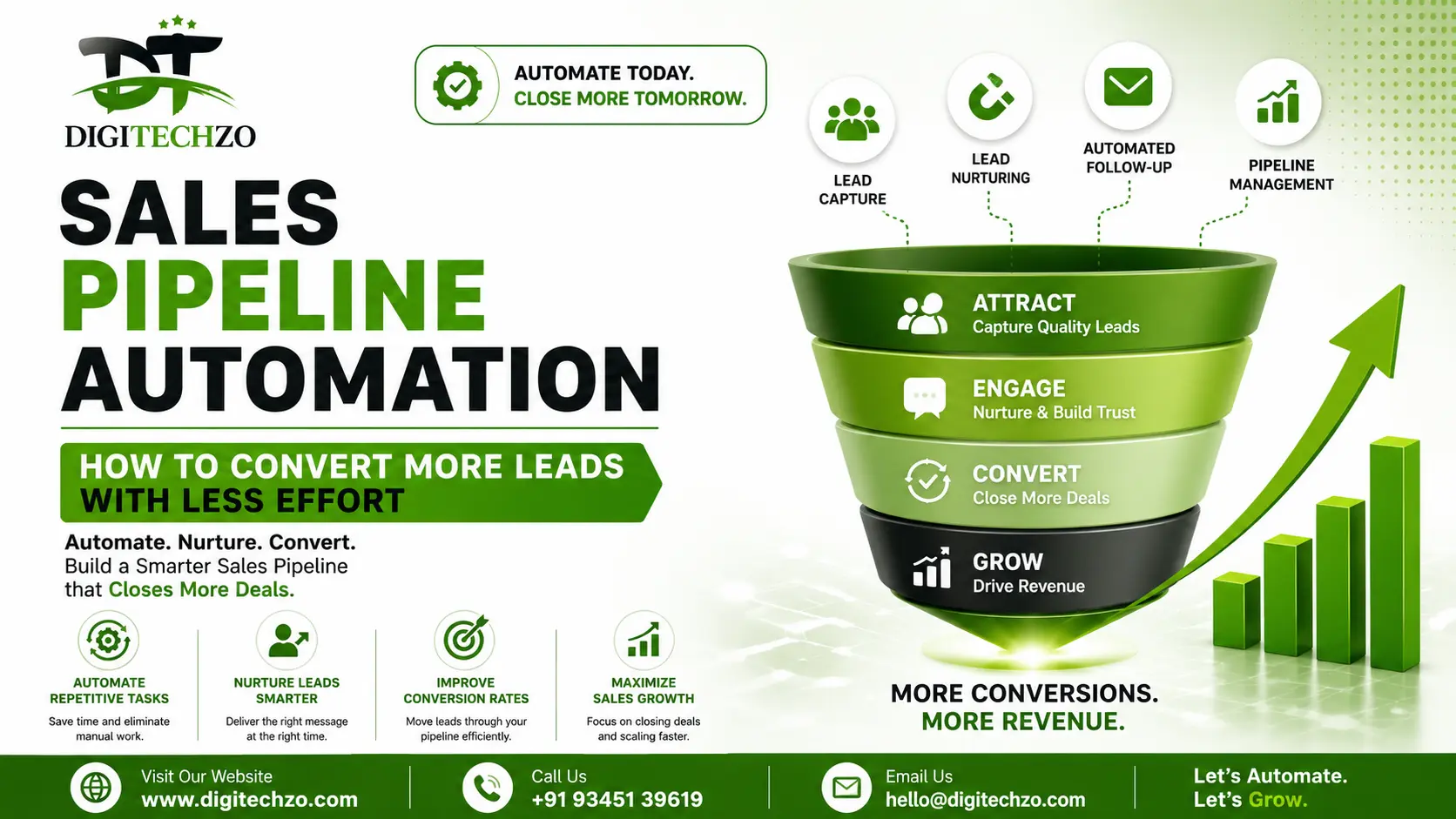
If your sales team is drowning in spreadsheets, follow-up reminders, and manual data entry, you're not alone. Most B2B sales reps spend less than a third of their day actually selling — the rest disappears into admin work, chasing leads that were never going to convert, and updating a CRM nobody trusts.
Sales pipeline automation fixes this. It's not about replacing salespeople with bots — it's about removing the repetitive, low-value tasks that eat into selling time, so your team can focus on conversations that actually close deals.
At Digitechzo, we've spent years helping growing businesses design and implement automated sales systems — from lead scoring workflows to CRM-integrated follow-up sequences — and we've seen firsthand how the right automation strategy can shorten sales cycles and lift conversion rates without adding headcount. This guide distills that experience into a practical, no-fluff playbook you can actually implement.
Sales pipeline automation uses software to handle repetitive sales tasks — lead capture, scoring, follow-ups, deal-stage updates, and reporting — automatically, based on triggers and rules you define. Instead of reps manually chasing every lead, the system moves prospects through your pipeline, flags hot opportunities, and only pulls in a human when a real conversation is needed. The result: faster response times, fewer dropped leads, and more deals closed per rep.
What Sales Pipeline Automation Actually Means
Sales pipeline automation is the use of rules, triggers, and software to move a prospect through defined stages — new lead, qualified, proposal, negotiation, closed-won/lost — without a rep manually pushing every step.
It typically combines three layers:
- Data automation — capturing and enriching lead information automatically (form fills, website behavior, email replies)
- Workflow automation — triggering the next action (an email, a task, a Slack alert) based on what a lead does or doesn't do
- Decision automation — using lead scoring or AI models to prioritize who a rep should call first
This is different from marketing automation, which focuses on nurturing broad audiences. Pipeline automation is deal-centric — it's concerned with individual, sales-qualified opportunities moving toward a close.
A Quick Real-World Example
A mid-sized SaaS company we worked with had reps manually checking their CRM every morning to see which trial users were "active." By the time they called, many leads had gone cold. We set up a trigger-based system: any trial user who hit a specific in-app usage threshold was automatically scored, assigned to a rep, and added to a same-day call task. Response time dropped from an average of 26 hours to under 2 hours — and trial-to-paid conversion rose by double digits within the first quarter.
That's the practical power of automation: it doesn't sell for you, but it makes sure the right lead reaches the right rep at the right moment.
Why Manual Pipelines Are Costing You Deals
Manual pipeline management feels manageable when you have 20 leads a month. It quietly breaks down at scale, and most sales leaders don't notice until pipeline data is already unreliable.
Here's what typically goes wrong:
- Response time lag. Research from Harvard Business Review has long shown that the odds of qualifying a lead drop sharply after the first hour of contact. Manual follow-up almost never hits that window consistently.
- Leads fall through the cracks. When follow-up depends on a rep remembering to do it, some percentage of leads simply never get a second touch.
- Inconsistent qualification. Without automated scoring, reps prioritize based on gut feeling — which means high-intent leads sometimes wait behind low-intent ones.
- Dirty CRM data. Manually updated deal stages are frequently out of date, which means forecasts built on that data are unreliable.
- Rep burnout on low-value work. Admin tasks (data entry, scheduling, status updates) can consume a significant chunk of a rep's week — time that isn't spent selling.
None of these are people problems. They're process problems, and automation is the fix.
The Core Stages You Can Automate
Not every part of the pipeline should be automated — human judgment still matters in negotiation and relationship-building. But several stages are ideal candidates:
Lead Capture & Enrichment
Automatically pull lead data from forms, chat widgets, or ad platforms into your CRM, and enrich it with firmographic data (company size, industry, job title) without manual research.
Lead Scoring & Prioritization
Assign points based on behavior (page visits, email opens, demo requests) and fit (industry, company size, budget signals) so reps always work the hottest leads first.
Follow-Up Sequencing
Trigger personalized email or SMS sequences the moment a lead goes quiet, with automatic pauses when the lead replies — so no one gets a robotic email after they've already responded.
Deal-Stage Progression Alerts
Automatically flag deals that have been stagnant in a stage too long, prompting a rep to re-engage before the opportunity goes cold.
Meeting Scheduling
Remove the back-and-forth of finding a time by letting automated scheduling tools handle calendar coordination.
Reporting & Forecasting
Auto-generate pipeline reports and forecasts pulled directly from live CRM data instead of manually compiled spreadsheets.
How to Build an Automated Sales Pipeline (Step-by-Step)
Step 1: Map Your Current Pipeline Stages
Before automating anything, document your actual sales process — not the idealized version, the real one, including where deals usually stall.
Step 2: Identify Repetitive, Rule-Based Tasks
Look for tasks that follow a clear "if this, then that" logic. These are your automation candidates. Anything requiring judgment or relationship nuance should stay manual.
Step 3: Choose the Right CRM and Automation Stack
Your CRM is the backbone. Layer automation tools (email sequencing, scheduling, lead scoring) on top rather than trying to force everything into one platform if it doesn't natively support it.
Step 4: Define Triggers and Rules
Set specific, measurable triggers — for example: "If a lead opens 3+ emails and visits the pricing page, assign to a rep and send a task within 1 hour."
Step 5: Build in Human Checkpoints
Automation should hand off to a human at key moments — a demo request, a pricing question, a signed contract — never fully replace the conversation.
Step 6: Test With a Small Segment First
Run the automated workflow on a subset of leads before rolling it out fully. This catches broken logic or tone issues before they affect your whole pipeline.
Step 7: Monitor, Measure, and Refine
Track response time, conversion rate by stage, and time-to-close. Automation isn't "set and forget" — the best-performing pipelines are refined monthly based on real data.
Manual vs. Automated Pipelines: A Side-by-Side Comparison
| Factor | Manual Pipeline | Automated Pipeline |
|---|---|---|
| Lead response time | Hours to days | Minutes |
| Lead prioritization | Rep judgment (inconsistent) | Data-driven scoring |
| Follow-up consistency | Depends on rep memory | Systematic, rule-based |
| CRM data accuracy | Often outdated | Updated in real time |
| Scalability | Breaks down as volume grows | Scales with minimal added headcount |
| Rep time on admin work | High | Significantly reduced |
| Forecast reliability | Low to moderate | High (data-backed) |
Pros of Automation: faster follow-ups, better lead prioritization, cleaner data, more selling time, easier scaling.
Cons of Automation: upfront setup time, risk of feeling impersonal if over-automated, requires ongoing maintenance and rule refinement.
The trade-off is manageable when automation handles the repetitive layer and humans own the relationship layer.
Best Tools for Sales Pipeline Automation
There's no single "best" tool — the right stack depends on your team size, sales motion, and existing systems. Broadly, the categories worth evaluating are:
- CRM platforms with built-in automation (workflow rules, pipeline stages, task triggers)
- Lead scoring and enrichment tools that layer on top of your CRM
- Sequencing/outreach platforms for automated but personalized follow-up
- Scheduling tools to remove manual calendar coordination
- Reporting/BI layers that pull live pipeline data into dashboards
Rather than chasing the newest tool, start with what your current CRM already offers — most platforms have far more automation capability than teams actually use.
Common Mistakes to Avoid
- Automating too much, too fast. Turning on every workflow at once makes it hard to diagnose what's actually improving results — or breaking something.
- Ignoring lead scoring criteria. Automation without a solid scoring model just moves bad leads through the pipeline faster.
- No human handoff point. Fully automated sequences with no clear moment for a rep to step in feel robotic and can damage trust with high-value prospects.
- Letting the CRM data go stale. Automation is only as good as the data feeding it — garbage in, garbage out.
- Treating automation as "set and forget." Buyer behavior changes; workflows need quarterly review, not a one-time setup.
- Over-personalizing with fake personalization. Merge tags without real segmentation (e.g., "Hi {FirstName}, I saw you're interested in {Product}" sent to everyone) are easy for prospects to spot and erode trust.
Expert Tips for Higher Conversion
- Score leads on intent, not just fit. A smaller company actively requesting a demo is often a better near-term opportunity than a large enterprise that only downloaded a whitepaper.
- Automate the first touch, personalize the second. Let automation handle instant acknowledgment; have the rep's first real message reference something specific about the lead's situation.
- Set a "stalled deal" trigger at 7–10 days of inactivity, not 30. Deals that go cold usually do so early, not late.
- Use automation to protect your best reps' time, not just to cut headcount. The ROI compounds when your strongest closers spend more hours in front of qualified buyers.
- Review automated sequences from the prospect's point of view at least once a quarter — read them cold, as if you were the lead receiving them.
Why Choose DigiTechzo for your Sales Pipeline Automation?
Effective sales pipeline automation requires more than automating repetitive tasks. It needs a clear understanding of how leads move through each stage, where prospects drop off, and which activities should trigger timely sales action. DigiTechzo approaches this process with a focus on creating structured, measurable workflows that help businesses improve follow-ups, lead progression, and sales efficiency.
For growing teams, the right automation strategy can reduce manual workload while giving sales representatives better visibility into active opportunities. DigiTechzo focuses on connecting business processes with practical automation so that technology supports the sales journey rather than adding unnecessary complexity.
When pipeline automation needs to align with a broader B2B growth strategy, exploring DigiTechzo’s GTM Agency For B2B can help connect sales processes with a more coordinated go-to-market approach.
FAQs
What is sales pipeline automation in simple terms?
Sales pipeline automation is software-driven management of repetitive sales tasks — like lead follow-up, scoring, and deal-stage updates — so reps spend more time selling and less time on manual admin work.
Is sales pipeline automation only for large sales teams?
No. Small teams often benefit the most, since automation lets one or two reps manage a lead volume that would otherwise require additional hires.
Does automating my pipeline make outreach feel impersonal?
Not if it's built correctly. The goal is to automate the repetitive first-touch and follow-up logistics while keeping real, personalized conversation at key decision points.
What's the difference between marketing automation and sales pipeline automation?
Marketing automation nurtures broad audiences before they're sales-ready. Sales pipeline automation manages individual, qualified opportunities as they move toward a closed deal.
How long does it take to set up an automated sales pipeline?
A basic setup with lead scoring, follow-up triggers, and CRM workflows can often be running within a few weeks; refining it for peak performance is an ongoing process.
