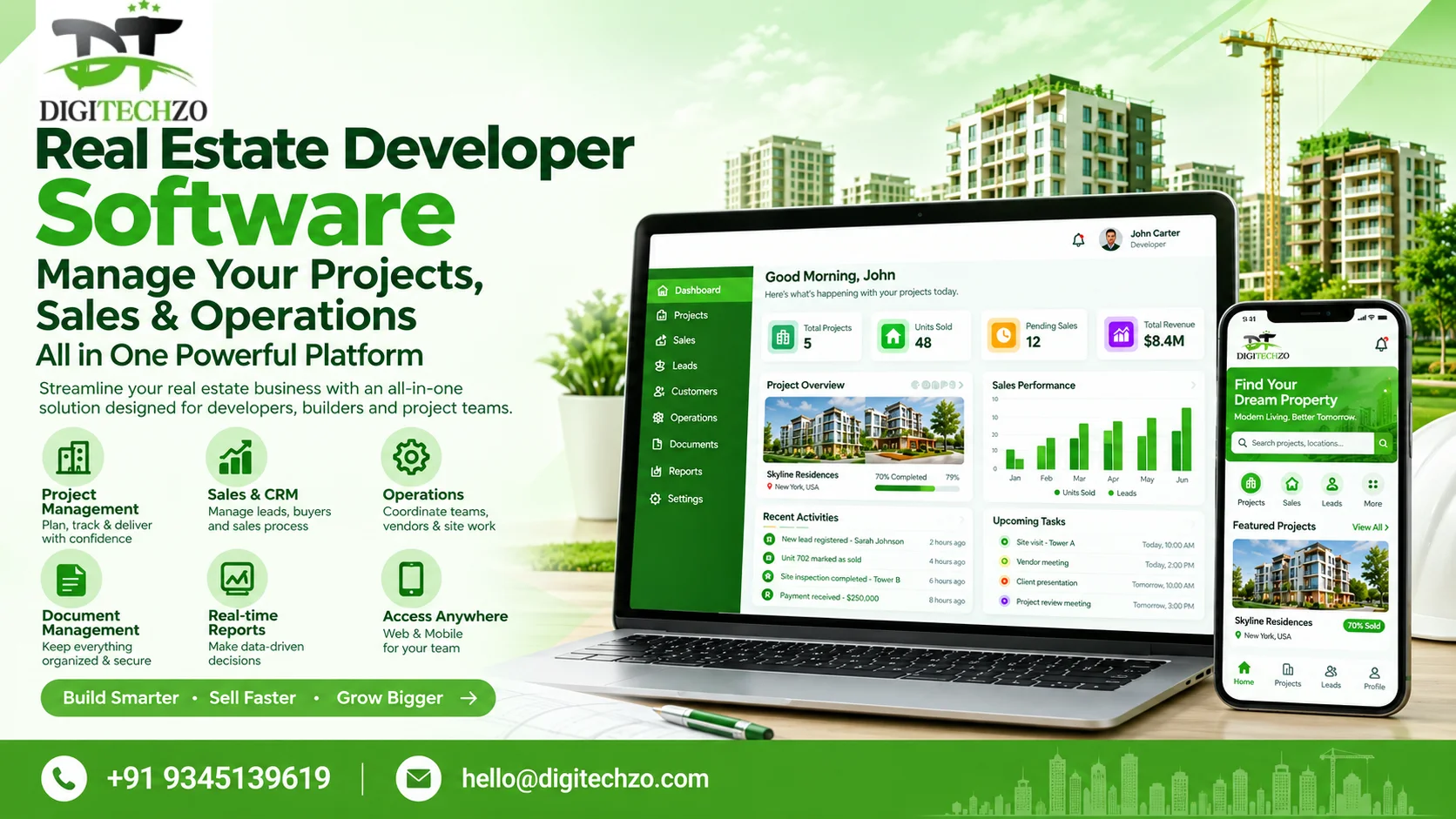
Bring your real estate business workflows into one organised digital environment. Digitechzo helps property developers assess and build software solutions for managing project information, property inventory, sales enquiries, team activity, customer records, vendor coordination, and operational reporting—based on the needs of your business.
Whether you manage a single residential project or coordinate sales and operations across multiple developments, the right system can help your team work with more consistent information, clearer ownership, and better visibility into what needs attention.
Primary CTA: Book a Product Walkthrough
Secondary CTA: Discuss Your Requirements
CTA microcopy: Tell us about your projects, team structure, current tools, and the workflows you want to organise.
Replace Scattered Spreadsheets with a More Connected Workflow
Real estate developers often coordinate project details, unit availability, buyer enquiries, sales follow-ups, channel partners, documents, payment updates, and internal approvals across different tools. When these records are disconnected, teams may work from different versions of the same information or spend time chasing updates.
Software for real estate developers can bring selected workflows into a shared system. The best solution is not necessarily the one with the longest feature list; it is the one that fits your development model, gives each role the right access, and supports the processes your team can consistently maintain.
What Is Software for Real Estate Developers?
Software for real estate developers is a broad category of business applications used to manage the information and workflows involved in developing and selling property. Depending on the product, it may include real estate CRM, project tracking, unit inventory, bookings, channel partner management, document workflows, collections visibility, construction coordination, and management reporting.
Some systems focus primarily on sales and inventory, while others cover construction execution, finance, compliance, or post-possession operations. Before selecting or building a platform, define which stages of the property lifecycle you need to manage and which systems should remain separate or integrate with it.
Key Features to Look for in Real Estate Developer Software
Project and Portfolio Management
Maintain project records, milestones, task ownership, project status, key documents, and agreed progress indicators. Multi-project reporting can help management compare progress across developments when the data model supports it.
Real Estate CRM and Lead Management
Capture enquiries, organise lead sources, assign owners, track follow-ups, manage pipeline stages, and record site visits or next actions. Integrations with property portals and advertising platforms must be verified for each provider.
Property and Unit Inventory
Organise projects, buildings, floors, plots, or units with relevant attributes and availability states. Booking holds, price lists, unit allocation, and inventory synchronisation should be explicitly scoped to help reduce conflicting records.
Booking and Buyer Management
Track the agreed steps from enquiry and reservation through booking documentation and customer handover. Booking rules, cancellation handling, and document requirements vary by business and jurisdiction.
Sales Team and Channel Partner Management
Assign leads, define ownership, maintain channel partner records, and track activity or commission status where supported. Partner portals and automated commission calculations require specific design and testing.
Customer Communication and Follow-Ups
Organise reminders, tasks, and customer interactions. WhatsApp, email, SMS, or telephony integrations depend on provider APIs, permissions, consent requirements, and the agreed workflow.
Project Documents and Approvals
Store relevant documents, assign review responsibilities, track statuses, and maintain access controls. Version history and audit logs should be confirmed as product capabilities rather than assumed.
Payment and Collections Visibility
Where included, track payment schedules, receipts, outstanding amounts, and follow-up status. Financial calculations, accounting integration, tax handling, and reconciliation must be scoped and validated with the responsible finance team.
Construction Progress Coordination
Organise milestones, progress updates, task dependencies, and site records if construction coordination is part of the solution. Detailed site execution features such as BOQs, RFIs, inspections, and subcontractor billing may require a dedicated construction management module.
Dashboards and Business Reporting
Review agreed indicators such as lead pipeline, site visits, bookings, inventory status, project milestones, and pending actions. Define metric calculations, reporting permissions, and data refresh expectations.
Role-Based Access and Auditability
Set access by role so administrators, project managers, sales teams, partners, and customers see only the information relevant to their responsibilities. Confirm audit and export capabilities in the technical specification.
Integration with Existing Systems
Evaluate connections to accounting, ERP, marketing, property portals, telephony, document tools, and existing CRM systems. Confirm API access, data mapping, sync behaviour, error handling, and third-party fees before promising an integration.
One Platform, Different Workspaces for Different Roles
Developer or business owner
Review project-level summaries, sales pipeline, inventory status, pending decisions, and agreed management reports.
Project manager
Track assigned milestones, tasks, dependencies, documents, and status updates within their scope.
Sales manager
Monitor lead distribution, follow-up activity, site visits, pipeline movement, and sales-team workload.
Sales executive
Access assigned leads, relevant property information, next actions, and customer interaction history.
Channel partner or broker
Access only the assigned project information, lead submission workflows, inventory views, and commission details included in the solution.
Customer or buyer
If a buyer portal is included, view approved booking, document, payment, or project updates intended for that customer.
Who Can Benefit?
Residential builders and developers
Coordinate apartment, villa, plotted development, or housing-project records, inventory, enquiries, and sales workflows.
Commercial property developers
Organise stakeholder information, project milestones, documents, and sales or leasing-related workflows according to the business model.
Land and plotted development companies
Manage plot information, enquiries, reservations, documentation, and follow-up workflows where applicable.
Developers managing multiple projects
Create consistent processes and a portfolio-level view while keeping project records and permissions appropriately separated.
Sales and marketing teams
Connect lead sources, assignments, follow-up tasks, site visits, and sales reporting more consistently.
Growing developer businesses
Replace selected spreadsheet-heavy workflows or connect existing systems when the current process becomes difficult to maintain.
Choose Software That Matches Your Development Workflow
The phrase “software for real estate developers” covers several different product categories. Compare the actual workflows you need rather than relying on product labels alone.
| Evaluation Parameter | Off-the-Shelf Real Estate CRM | Developer ERP Suite | Custom Developer Platform |
|---|---|---|---|
| Time-to-Market | 2 – 4 Weeks | 3 – 6 Months | 8 – 16 Weeks |
| Source Code Ownership | No Code Ownership (SaaS) | Vendor Proprietary / Locked | Full Source Code Ownership |
| Upfront Capital Cost | Low ($1k - $3k Setup) | High ($25k - $60k Setup) | Moderate ($12k - $35k Once) |
| Recurring User License Fees | High Monthly Per-Seat Fees | Annual Enterprise Contracts | None (Self-Hosted on Cloud) |
| Workflow Customization | Limited to Built-In Templates | Complex Custom Modules Only | 100% Tailored to Developer Flow |
| Sales & Channel Partner Portal | Basic Broker Intake | Manual Portal Configuration | Dedicated Broker & Buyer Portal |
| Construction & Finance Sync | None (Requires 3rd-Party APIs) | Finance Centric, Slow Updates | Live Milestone & Cashflow Sync |
If you need several categories, map shared data, ownership, permissions, and reporting first. Then compare configuration, integration, and custom development as alternative approaches.
Off-the-Shelf Software or a Custom Solution?
Consider existing software when
Your workflows are standard, the product already supports your essential requirements, integrations are available, and you want to minimise custom engineering and maintenance.
Consider custom development when
Your project model, approval rules, inventory logic, role access, or integrations have requirements that existing products cannot reasonably support.
Consider a hybrid approach when
An existing CRM or ERP covers core functions but you need custom portals, integrations, dashboards, or workflow automation around it.
The decision should account for implementation cost, licensing, integration work, data migration, user adoption, security, vendor dependency, and long-term maintenance—not just the initial development quote.
How Digitechzo Can Help
Digitechzo works across business technology and software development. Depending on your requirements, the engagement may involve mapping existing workflows, evaluating technical options, planning a custom web-based platform, integrating current systems, or defining a phased implementation roadmap.
Map project, sales, inventory, partner, and customer workflows.
Separate launch-critical functions from future enhancements.
Document user roles, permissions, integrations, and reporting needs.
Assess existing software and APIs before proposing custom development.
Define acceptance criteria, testing responsibilities, rollout, and support.
Publish this section only in a way that accurately reflects Digitechzo’s current product and delivery capabilities. If the offer is custom software development rather than a ready-made product, say so clearly.
Implementation Process
1. Business and workflow discovery
Understand project types, team roles, lead journey, inventory rules, documents, reporting, and current systems.
2. Requirements and priorities
Define modules, user journeys, fields, permissions, integrations, acceptance criteria, assumptions, and exclusions.
3. Solution design
Choose what to configure, integrate, or custom-build. Review hosting, architecture, data migration, access control, and technical dependencies.
4. Prototype and validation
Review representative workflows with users before expanding implementation.
5. Development and integration
Build the agreed modules and integrations in planned increments, with review checkpoints.
6. Testing and user acceptance
Validate core workflows, permissions, reporting, data accuracy, integrations, backups, and failure cases.
7. Rollout and training
Prepare approved data, role-specific guidance, production configuration, and a controlled rollout plan.
8. Support and improvement
Agree on support coverage, issue priorities, updates, and future enhancements.
Security and Data Control
Developer software may contain commercially sensitive project, customer, inventory, and financial information. Evaluate authentication, role-based permissions, secure communication, audit history, backups, recovery, data export, and retention. Hosting and privacy obligations depend on the chosen architecture, vendors, and markets served.
Do not claim a security certification, regulatory compliance, complete protection, or guaranteed data residency unless the specific implementation and supporting evidence justify that claim.
What Affects Software Cost?
Cost depends on whether you choose an existing product, integrate current systems, or develop a custom platform. Scope, user roles, project count, inventory complexity, financial workflows, third-party integrations, data migration, dashboards, testing, hosting, training, and maintenance all influence the estimate.
Number of projects, users, and role types
CRM, inventory, booking, finance, construction, or buyer-portal modules
Custom business rules, approval paths, and reporting
Integration and data migration requirements
Security, hosting, backup, training, and support needs
CTA: Discuss Your Requirements. Request a scoped estimate with deliverables, assumptions, exclusions, milestones, and support terms clearly stated.
Frequently Asked Questions
What is Software for Real Estate Developers to Manage Projects, Sales, and Operations and how does it work?
Bring your real estate business workflows into one organised digital environment. Digitechzo helps property developers assess and build software solutions for managing project information, property inventory, sales enquiries, team activity, customer records, vendor coordination, and operational reporting—based on the needs of your business.
How does scalable digital infrastructure support long-term business growth?
Whether you manage a single residential project or coordinate sales and operations across multiple developments, the right system can help your team work with more consistent information, clearer ownership, and better visibility into what needs attention.
What are key considerations when planning deployment and ongoing maintenance?
CTA microcopy: Tell us about your projects, team structure, current tools, and the workflows you want to organise.
Explore DigiTechzo's Dedicated Engineering Squads
Accelerate product velocity with forward-deployed software engineers embedded directly into your core product architecture. Discover our model on our Forward Deployed Engineering Services page.
