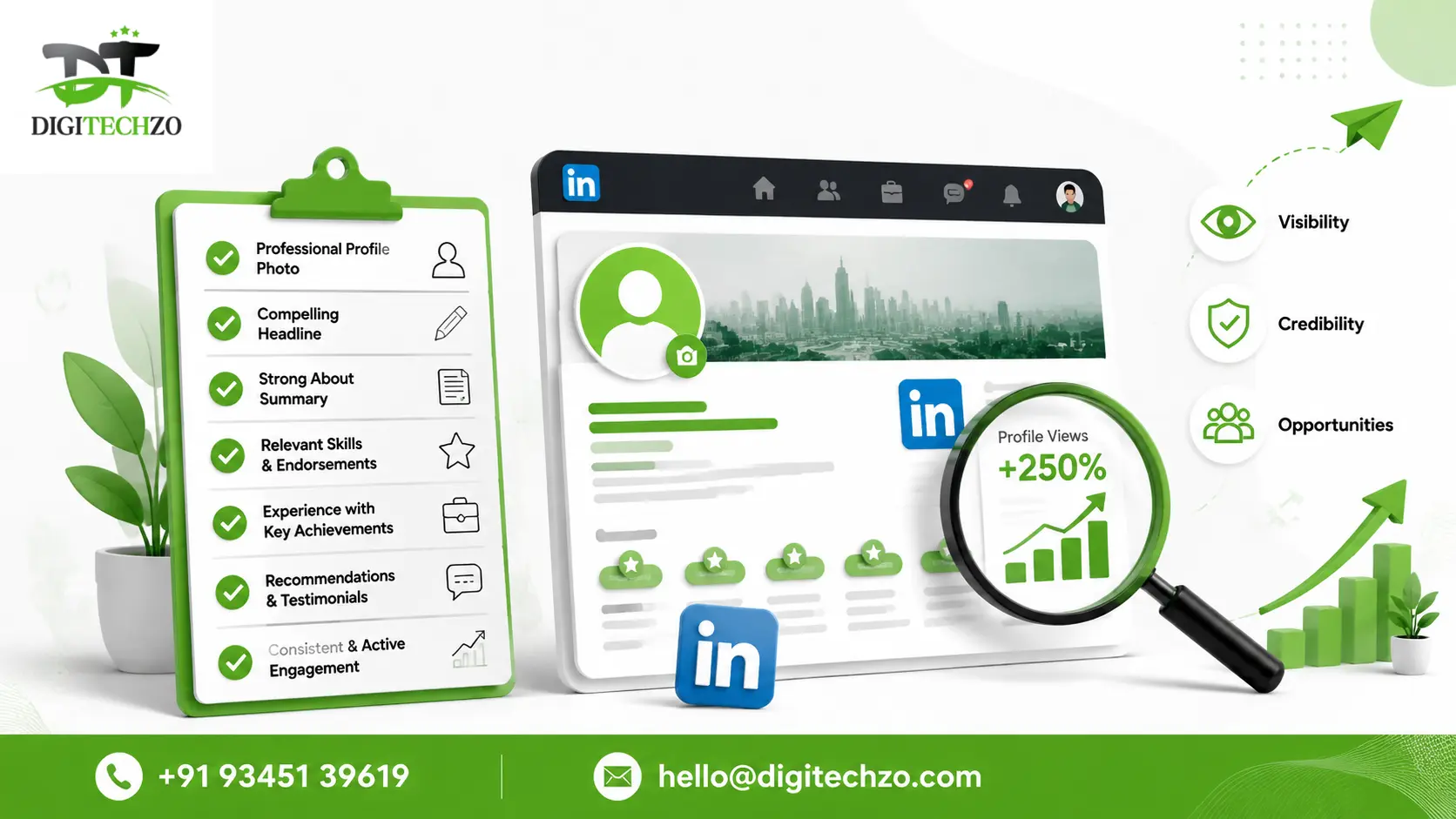
You've got the experience. You've got the results. But when someone searches for what you do on LinkedIn, your profile doesn't show up — or worse, it shows up looking like it hasn't been touched since 2019. That's not a visibility problem you can fix by posting more. It's a LinkedIn profile optimization problem, and it's costing you recruiters, clients, and partnerships you never even knew existed.
At Digitechzo, we audit LinkedIn profiles for founders, consultants, and job seekers every week, and the same gaps show up again and again — even among genuinely impressive professionals. This checklist covers every section LinkedIn's search and recommendation systems actually weigh, in the order that matters most, along with the details most "optimization guides" leave out.
Quick Answer
LinkedIn profile optimization means strategically completing and structuring every section of your profile photo, headline, About, Experience, Skills, and Featured — using relevant keywords and proof points so you rank higher in search and build instant credibility with anyone who lands on your page. Complete, keyword-optimized profiles are shown to appear in search results and receive engagement at multiples far above incomplete ones.
Why LinkedIn Profile Optimization Matters More Than You Think
LinkedIn is no longer just a resume repository — it's become the primary due-diligence tool for recruiters, buyers, and partners before they ever speak to you directly. A recruiter sourcing candidates, a prospect deciding whether to reply to your outreach, or a journalist checking your credibility will almost always check your LinkedIn profile first.
The data backs up why this matters so much:
- Complete, "All-Star" profiles are shown by LinkedIn's own research to appear dramatically more often in recruiter and search results than incomplete ones — often cited around 40 times more opportunities.
- Profiles with a professional photo consistently receive many multiples more views and messages than profiles without one — figures across multiple LinkedIn-sourced studies range from roughly 14x to 21x more views.
- Profiles listing five or more relevant skills are shown to be discovered by recruiters at a significantly higher rate — some data points to over 20 times more discoverability.
- Written recommendations are one of the most underused sections on the platform, yet a profile with several detailed recommendations is treated as meaningfully more credible by both search algorithms and human reviewers.
The pattern across all of this data is consistent: LinkedIn rewards completeness and specificity, not just activity. You don't need to post daily to benefit from optimization — you need your profile to work as hard as possible every time someone lands on it, whether that's from a search, a comment, or a shared post.
How LinkedIn's Search Algorithm Actually Ranks Profiles
Understanding how ranking works helps you optimize with intention instead of guessing. LinkedIn's search operates on a relevance-scoring model, weighing several factors when someone searches a term like "B2B Marketing Consultant" or "Senior Product Manager SaaS":
- Keyword placement and density across your headline, About section, Experience descriptions, and Skills — with the headline carrying disproportionate weight since it's indexed more heavily than other fields.
- Profile completeness — every filled section (photo, banner, About, experience with descriptions, skills, education, Featured) contributes to your overall completeness score.
- Network relevance — your connections and how closely they match the searcher's network affect how prominently you appear.
- Engagement activity — profiles that post and engage regularly tend to see increased visibility, since active accounts are treated as more relevant.
The practical takeaway: optimization isn't a one-time checklist you complete and forget. It's an ongoing combination of structure (getting each section right) and activity (staying visible through engagement) — and most guides only address the first half.
The Complete LinkedIn Profile Optimization Checklist
Use this as your working checklist. Each item is covered in more depth in the next section.
- Professional, high-resolution profile photo (face fills ~60% of frame)
- Custom banner image communicating your value proposition
- Keyword-rich headline that goes beyond your job title
- Custom LinkedIn URL (remove the random numbers)
- First-person About section with a clear structure and CTA
- Experience section with results, not just responsibilities
- 10–20 relevant, specific skills (not 50 generic ones)
- 3+ detailed written recommendations
- Featured section pinned with your best proof (case study, article, lead magnet)
- Open to Work / Providing Services settings configured correctly
- Consistent activity (posts, comments) to maintain algorithmic relevance
- Contact info fully filled out, including a professional email
Section-by-Section Deep Dive
Profile Photo and Banner
Your photo is the single highest-leverage element on your profile — no other individual change delivers as much visibility improvement. Use a genuine headshot, not a cropped group photo or a casual selfie: solid or simple background, business-appropriate attire, a friendly and approachable expression, and your face filling roughly 60% of the frame.
Your banner is prime, mostly-ignored real estate. Instead of a generic stock photo, use it to state who you help and how — think of it as a subheadline beneath your name.
Headline
Your headline is indexed more heavily than almost any other field, which means it's the biggest keyword opportunity on your entire profile. Most people waste it by listing just a job title.
Weak example: "Marketing Manager at XYZ Corp" Optimized example: "Marketing Manager | Helping DTC Brands Scale Paid Social ROAS | Ex-Meta"
The optimized version includes searchable keywords (marketing, paid social, DTC), a clear value statement, and a credibility marker — all of which improve both search ranking and click-through when your name appears in comments or search results.
Custom URL
A default LinkedIn URL looks like linkedin.com/in/johnsmith-8a2f91b3. A custom URL (linkedin.com/in/johnsmith) is a small change that makes your profile look more polished on business cards, email signatures, and resumes — and it's a five-minute fix most people never make.
About Section
Write this in first person, addressed to the person reading it — not a third-person biography. A strong structure looks like:
- The problem or need you address (1–2 lines)
- How you approach it differently (2–3 lines)
- Specific proof — results, clients, years of experience (2–3 lines)
- A clear next step — what you want the reader to do
Aim for roughly 1,500–2,000 characters. This is long enough to include keywords naturally and tell a real story, without becoming a wall of text nobody finishes reading.
Experience Section
Most people list job duties. Optimized profiles list outcomes. Compare:
- Weak: "Responsible for managing social media accounts and content calendar."
- Optimized: "Grew organic Instagram following from 12K to 74K in 10 months by rebuilding the brand's content strategy around short-form video."
Every role should include 2–4 bullet points following this results-first structure, with relevant keywords woven in naturally — this is also prime space for the same search terms you used in your headline and About section.
Skills Section
LinkedIn's search weighs skills heavily, and profiles listing several relevant skills are shown to be discovered by recruiters at a significantly higher rate than those with few or none. But more isn't always better:
- Choose 10–20 skills that are genuinely relevant and specific to your target searches
- Avoid generic, dated skills (listing "Microsoft Word" in your top skills signals a lack of prioritization)
- Pin your top three most important skills — these display most prominently
- Ask colleagues and clients for endorsements on your top skills, since endorsement count factors into how skills rank in search
Recommendations
Written recommendations are one of the highest-trust, lowest-competition sections on LinkedIn — almost nobody uses them well, which makes them a real differentiator. A profile with three or more detailed recommendations is treated as significantly more credible than one with none.
Pro move: don't just ask for a recommendation — give the person a light template. Ask them to mention a specific project, a specific outcome, and what it was like to work with you. Specific recommendations read as authentic; generic ones ("great to work with!") add little value.
Featured Section
This section sits directly below your About section and is almost entirely unused by most professionals — which is exactly why it's valuable. Pin your strongest asset here: a case study, a well-performing post, a downloadable resource, or a link to book a call. Treat it as the "call to action" section of your profile.
Open to Work / Providing Services
If you're job hunting, enable "Open to Work" with specific job titles and locations — this directly improves your visibility in recruiter search filters. If you're a consultant or freelancer, "Providing Services" adds a dedicated section that surfaces you in service-provider searches, which most freelancers never enable.
Job Seeker vs. Consultant vs. Founder: Different Priorities
Not every profile should be optimized the same way. Here's how priorities shift by goal:
| Section | Job Seeker Priority | Consultant/Freelancer Priority | Founder Priority |
|---|---|---|---|
| Headline | Target job title + top skills | Who you help + outcome | Company + personal mission |
| About | Career trajectory + achievements | Services + client results | Vision + credibility markers |
| Featured | Resume, certifications | Case studies, testimonials | Press, product, thought leadership |
| Skills | Match target job descriptions exactly | Niche-specific service skills | Industry authority skills |
| Activity | Engage on target companies' posts | Post educational content weekly | Share company milestones + personal insight |
Example: A job seeker targeting "Senior Data Analyst" roles should mirror the exact language used in job postings across their headline and Skills section, since recruiter searches often match those exact terms. A consultant, on the other hand, benefits more from a headline built around outcomes ("Helping X achieve Y") than exact job titles, since prospects search for solutions, not titles.
How to Measure If Your Optimization Is Working
Optimization isn't "set and forget" — track these metrics monthly using LinkedIn's free built-in analytics:
- Profile views — is your weekly view count trending up after changes?
- Search appearances — how often are you showing up in relevant searches, and for which keywords?
- Post impressions — if you're posting, is reach growing alongside profile changes?
- Connection request quality — are more relevant people (versus random connections) reaching out?
- InMail/message response rate — are inbound messages becoming more qualified over time?
A useful benchmark: after meaningful headline and keyword changes, many professionals see a noticeable jump in search appearances within days to a few weeks — if you don't see movement within a month, revisit your keyword choices rather than assuming optimization doesn't work.
Common Mistakes in LinkedIn Profile Optimization
- Treating the headline as just a job title. This is the single biggest missed opportunity on most profiles, given how heavily it's weighted in search.
- Writing the About section in third person. It reads like a press release instead of a conversation, which reduces trust and connection.
- Listing responsibilities instead of results in Experience. Recruiters and prospects respond to outcomes, not task lists.
- Adding 50 generic skills instead of 15 specific ones. This dilutes relevance and can actually hurt search matching for the terms that matter most.
- Leaving the Featured section empty. It's prime visual space directly under your About section — leaving it blank wastes one of the highest-visibility spots on the page.
- Inconsistency between your resume and profile. Mismatched dates, titles, or claims create doubt for anyone doing due diligence.
- Optimizing once and never revisiting. Keywords, industry language, and your own positioning evolve — profiles need periodic refreshes, not a single one-time fix.
- Ignoring messages for days. A polished profile that goes silent on inbound messages undercuts all the trust it just built.
Expert Tips for Faster Results
- Mirror the exact language of your target searches. If you want to be found for "product marketing," use that exact phrase — not a clever synonym — in your headline, About, and Skills.
- Update your headline before a big push. If you're about to network at an event, launch a job search, or start prospecting, refresh your headline and About section first — this is the highest-leverage five-minute edit available.
- Request recommendations right after a win. The best time to ask a client or manager for a recommendation is immediately after a successful project, while the specifics are still fresh.
- Treat your About section as a landing page, not a bio. End it with an explicit next step — "book a call," "message me about X," "here's where to see my work" — the same way you'd end a webpage.
- Re-audit your profile quarterly. Revisit your headline, About, and Featured sections every few months as your positioning, offers, or career goals evolve.
- Pair profile optimization with light, consistent activity. A perfectly optimized but completely inactive profile still underperforms an optimized profile that posts or comments even a few times a month — activity signals relevance to the algorithm.
FAQs
What is LinkedIn profile optimization?
LinkedIn profile optimization is the process of strategically completing and refining every section of your LinkedIn profile — photo, headline, About, Experience, Skills, and Featured — with relevant keywords and proof points to improve your visibility in search results and build credibility with anyone who views your profile.
How long does it take to optimize a LinkedIn profile?
A thorough first pass typically takes 2–4 hours, covering your photo, headline, About section, Experience descriptions, and Skills. Ongoing optimization — requesting recommendations, updating Featured content, refreshing keywords — is best treated as a quarterly, not one-time, task.
Does LinkedIn profile optimization actually improve visibility?
Yes. Multiple LinkedIn-sourced data points consistently show that complete, keyword-optimized profiles receive dramatically more views, search appearances, and messages than incomplete ones — with completeness alone linked to tens of times more opportunities in some studies.
What's the most important part of a LinkedIn profile to optimize first?
Your headline and profile photo deliver the fastest, highest-impact improvements. The headline is indexed more heavily than most other fields in LinkedIn search, and a professional photo alone is linked to significantly more profile views and messages.
Do I need a LinkedIn Premium subscription to optimize my profile?
No. Nearly all core optimization — photo, headline, About, Experience, Skills, Featured, recommendations — is available on the free version. Premium mainly adds InMail credits, deeper analytics, and visibility into who's viewed your profile, which are useful add-ons but not prerequisites for a strong, discoverable profile.
Conclusion
A LinkedIn profile that isn't optimized is invisible to the exact people searching for what you offer — recruiters, clients, and partners who are already looking, but never find you. The fix isn't complicated; it's a matter of treating every section with intention, using real keywords, and backing claims with proof instead of leaving sections blank or generic.
If you'd rather have this done right the first time — headline, About section, Experience rewrite, and a keyword strategy built around your actual goals — Digitechzo offers full LinkedIn profile audits and optimization for professionals and founders. Get in touch with our team to see exactly where your profile is losing visibility and how to fix it.
