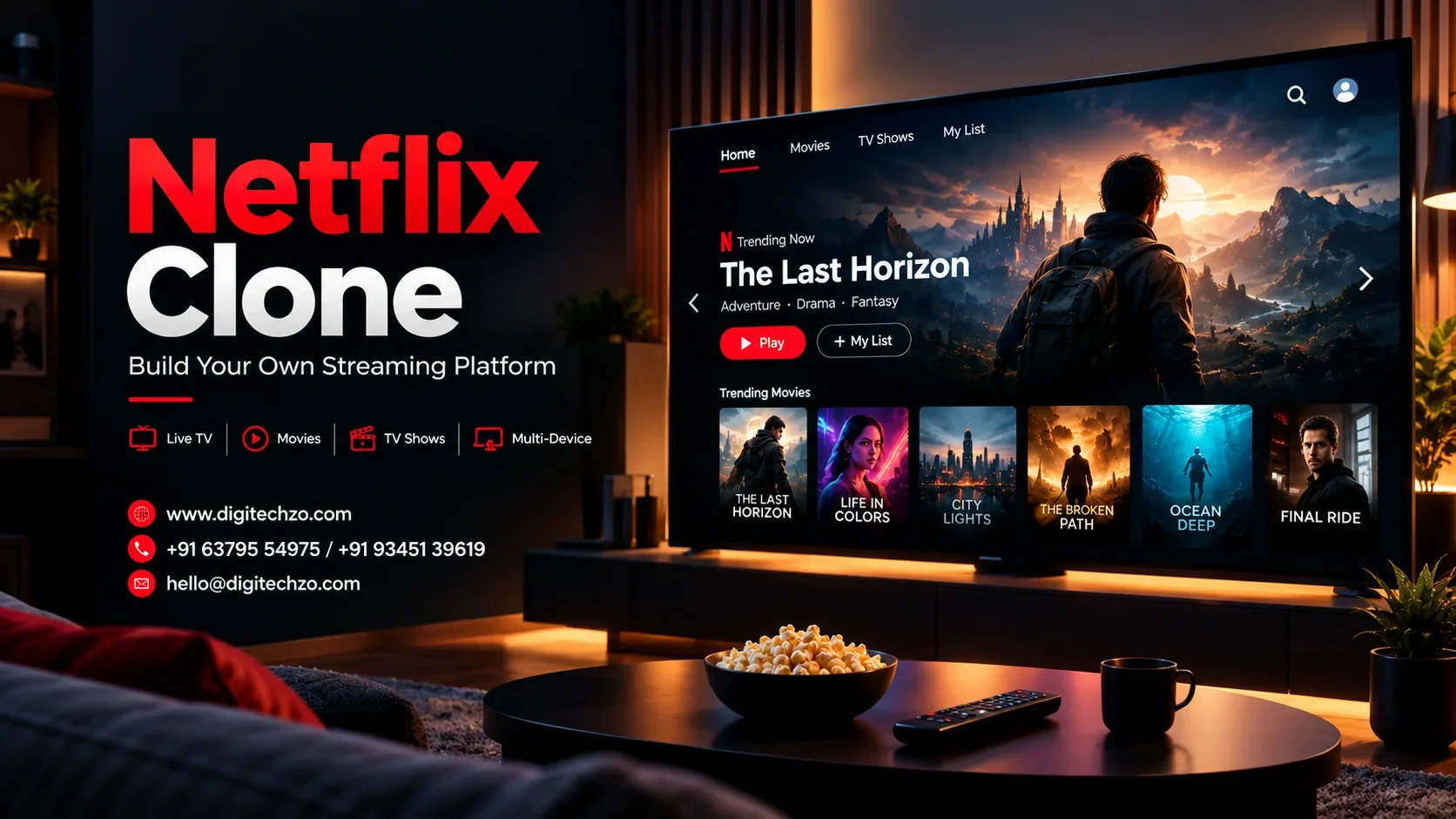
Most founders who search for a Netflix clone are not trying to copy a logo. They want the product model behind it: a catalog people can browse, personalized recommendations, smooth playback on any device, and revenue that grows with the audience. The hard part is that this model rests on a lot of invisible engineering, including video processing, content delivery, rights protection and billing.
This guide explains what a Netflix clone is, how streaming platforms work, which features matter, what drives cost, and how to choose between a ready-made script and custom development. At Digitechzo, a technology development company, we see the same pattern in OTT projects: the businesses that succeed treat the platform as a long-term product rather than a quick copy.
A Netflix clone is an on-demand video streaming platform that reproduces Netflix's core functionality: user profiles, a browsable catalog, subscription billing, multi-device playback and personalized recommendations. You build it with your own brand and content, not Netflix's. You can start with a Netflix clone script for speed, or build custom OTT software for flexibility, scalability and ownership. The right choice depends on your content strategy, budget, timeline and growth plans.
What Is a Netflix Clone, Exactly?
A Netflix clone is a video-on-demand (VOD) application modeled on the functionality of leading subscription streaming services. It usually includes a viewer app (web, mobile, smart TV), an admin panel, a content pipeline for uploading and encoding video, a payment system, and analytics.
The word "clone" causes confusion, so it helps to be precise. You are cloning a product pattern, not a company. Your platform has its own name, design, content library and business model.
What You Can Replicate and What You Cannot
| You can build | You should not copy |
|---|---|
| Profile-based accounts and watchlists | Netflix's name, logo or trademarks |
| Category rows, search and recommendations | Proprietary UI assets and original designs |
| Subscription and pay-per-view billing | Licensed or original content you don't own |
| Adaptive streaming and offline downloads | Source code or trade secrets of any company |
Your content rights are the real foundation of an OTT business. A platform without licensed, original or user-generated content you are entitled to distribute has nothing to stream, however good the technology is.
Who Should Build an OTT Platform (and Who Shouldn't)
Competing with the largest global streamers on general entertainment is unrealistic. The opportunity is in focus:
- Niche and regional content: language-specific cinema, regional series, devotional or cultural content.
- Education and training: course libraries, corporate learning and certification video.
- Creators and publishers: fitness, cooking, comedy, documentaries and live events.
- Broadcasters and studios: owned-and-operated direct-to-consumer channels.
- Communities and memberships: paid communities built around exclusive video.
If you have no content strategy and no plan for acquiring viewers, pause before building. Technology does not solve the lack of an audience.
Core Features of a Netflix-Like App
Viewer Features
- Profiles and parental controls: multiple profiles per account, kid-safe modes and PIN protection.
- Personalized home screen: recommendations, "continue watching" and trending rows.
- Search and discovery: filters by genre, language, cast and release year.
- Adaptive playback: quality adjusts automatically to the viewer's network.
- Multi-device streaming: Android, iOS, web and smart TV apps with synced progress.
- Offline downloads: protected downloads with expiry rules.
- Subtitles and audio tracks: multiple languages and accessibility support.
- Payments and plans: subscriptions, free trials, coupons and transactional rentals.
- Notifications: new releases, renewal reminders and personalized prompts.
Admin and Content Management Features
- Content management: upload, metadata, thumbnails, trailers, seasons and episodes.
- Scheduling and geo-restrictions: release windows and territory-level rights.
- User and subscription management: plans, refunds, access control and support tools.
- Analytics dashboard: watch time, churn, retention, completion rate and revenue.
- Ad management (for ad-supported models): ad slots, campaigns and reporting.
- Role-based access: separate permissions for editors, finance and support.
Start with the features that support your first revenue model, then add depth after you have real viewing data.
How a Video Streaming Platform Actually Works
Every Netflix-like platform runs on the same basic pipeline:
- Ingest: your source video is uploaded to storage.
- Transcoding: the video is converted into multiple resolutions and bitrates, for example from mobile-friendly to 4K.
- Packaging: the renditions are segmented for streaming protocols such as HLS or MPEG-DASH.
- Protection: encryption and DRM licensing are applied to premium content.
- Delivery: a content delivery network (CDN) caches video close to viewers.
- Playback: the player requests small segments and switches quality in real time, which is adaptive bitrate streaming.
- Intelligence: recommendation, search, analytics and billing run alongside.
The viewer sees one smooth video, but this pipeline is where most of the cost, performance and reliability decisions sit. Weak transcoding settings cause buffering, and a poor CDN strategy makes costs unpredictable.
Recommended Technology Stack
There is no single correct stack, but these are the typical choices for each layer:
| Layer | Common options | Why it matters |
|---|---|---|
| Mobile apps | Flutter, React Native, native Swift/Kotlin | Speed to market vs deep device performance |
| Web frontend | React, Next.js, Angular | SEO-friendly catalog pages and fast UI |
| Backend | Node.js, Python, Java, Go | API scale and developer ecosystem |
| Database | PostgreSQL, MongoDB, Redis | Catalog, user data and caching |
| Streaming protocols | HLS, MPEG-DASH | Cross-device compatibility |
| Codecs | H.264, HEVC, AV1 | Quality-vs-bandwidth trade-offs |
| DRM | Widevine, FairPlay, PlayReady | Protection across Android, Apple and Windows ecosystems |
| Cloud and CDN | AWS, Google Cloud, Azure, specialist CDNs | Global delivery and elasticity |
| Search | Elasticsearch, OpenSearch | Fast, relevant discovery |
| Payments | Stripe, Razorpay, PayPal and regional gateways | Local payment coverage |
Two decisions deserve early attention. First, DRM support depends on the device, so your target devices should shape your DRM plan. Second, codec choice affects both viewing quality and delivery cost.
Monetization Models Compared
| Model | How it earns | Best for | Main challenge |
|---|---|---|---|
| SVOD (subscription) | Recurring plans | Deep catalogs and loyal audiences | Churn and content cost |
| AVOD (ad-supported) | Advertising revenue | Large free audiences | Needs scale and ad inventory |
| TVOD (pay-per-view) | Rent or buy per title | Premieres, events and films | Lower recurring revenue |
| Hybrid | Free tier plus premium | Growth plus conversion | More complexity to build |
| FAST channels | Ad-supported linear channels | Library monetization | Scheduling and ad operations |
Most new platforms benefit from a model they can launch simply, then layer hybrid options later. Your architecture should leave room for that. Hard-coding a single billing model is a common and expensive mistake.
Netflix Clone Script vs Custom OTT Development
Both approaches are legitimate, and the right choice depends on your goals.
| Factor | Netflix clone script | Custom OTT development |
|---|---|---|
| Time to launch | Faster | Longer |
| Initial cost | Lower | Higher |
| Customization | Limited to what the script supports | Fully tailored |
| Scalability | Depends on script architecture | Designed for your growth path |
| Code ownership | Varies by license | Typically full ownership |
| Differentiation | Low, since many businesses use the same base | High |
| Integrations | May be restricted | Built to your needs |
| Long-term flexibility | Constrained by the vendor | Greater control |
A script suits validation and a quick market test. Custom development suits businesses with unique workflows, premium content and plans to scale. Before committing to a script, check the source code license, how much of it you can modify, how updates are handled, and what happens to your platform if the vendor stops supporting it.
Cost and Timeline: What Actually Drives Them
Anyone quoting a fixed price without scoping is guessing. The real cost drivers are:
- Platforms: web only, or web plus Android, iOS and smart TV.
- Feature scope: a basic VOD app costs far less than one with live streaming, downloads, multi-profile logic and advanced analytics.
- Video infrastructure: transcoding, storage, CDN and DRM costs scale with viewing hours, not just with development effort.
- Design: custom UI/UX across devices takes more time than a standard theme.
- Integrations: payment gateways, ad servers, CRM, analytics and third-party content tools.
- Compliance: privacy, payment and regional content rules.
- Post-launch: maintenance, updates, monitoring, support and infrastructure.
Timelines follow the same logic. A lean MVP can take a few months, and a multi-platform, DRM-protected platform with smart TV apps takes considerably longer. Smart TV apps in particular add time because each TV ecosystem has its own submission process.
Plan your budget in two parts: building the platform and operating it. Streaming is one of the few software categories where success itself raises your running costs.
Step-by-Step Development Process
- Discovery and strategy: define audience, content sources, revenue model and success metrics.
- Feature prioritization: separate launch-critical features from later enhancements.
- UX and UI design: create flows for browsing, playback, billing and account management.
- Architecture planning: choose the cloud, CDN, DRM and database design before coding.
- Development: build the backend, apps, admin panel and video pipeline.
- Integration: connect payments, analytics, notifications and third-party services.
- Testing: test playback across devices, network conditions, load and security.
- Launch: release in stages, monitor performance and gather feedback.
- Optimization: use viewing data to improve recommendations, retention and costs.
Test playback on real low-bandwidth networks. A platform that runs perfectly on office Wi-Fi can fail for viewers on mobile data.
Security, DRM and Compliance
Protect three things: your content, your users and your revenue.
- Content protection: use encryption and DRM for premium content. Add signed URLs and token authentication to reduce link sharing.
- Account security: secure authentication, session control and device limits to reduce password sharing.
- Payment security: use compliant payment gateways and never store raw card data.
- Privacy: follow the data protection laws that apply to your audience, such as GDPR or India's DPDP Act.
- Content rights: keep licensing records, territory restrictions and takedown processes.
- Accessibility: captions, readable interfaces and screen-reader support.
DRM deters piracy but does not eliminate it. Treat protection as risk reduction, not a guarantee. This article is technical information, not legal advice, so consult a qualified legal professional on licensing and compliance for your market.
Building for Scale
Streaming traffic is spiky. A big release or live event can multiply concurrent viewers within minutes.
- Use a CDN well: cache aggressively and monitor cache hit rates.
- Design stateless services: so you can scale APIs horizontally.
- Separate heavy workloads: keep transcoding away from user-facing APIs.
- Track quality of experience: startup time, rebuffering rate, playback failures and bitrate distribution.
- Load test early: simulate release-day peaks before real viewers arrive.
- Watch unit economics: delivery cost per viewing hour against revenue per user.
Scalability is as much about cost control as technical capacity. A platform that survives a traffic spike but destroys your margins has not scaled well.
Mistakes That Sink Streaming Startups
- Building before securing content rights.
- Launching on every platform at once instead of validating on one or two.
- Ignoring video cost modeling until the first big bill arrives.
- Copying Netflix's catalog strategy without Netflix's budget.
- Skipping DRM planning for premium content.
- Over-building features before learning what viewers actually watch.
- Choosing a script without checking license terms and upgrade paths.
- Underestimating post-launch support and monitoring.
How to Evaluate a Streaming Platform Development Company
Ask a prospective partner these questions:
- Have they built video platforms with adaptive streaming, DRM and CDN integration, or only standard apps?
- Do they explain trade-offs honestly, or just promise everything?
- Who owns the source code and infrastructure accounts?
- How do they test playback across devices and networks?
- What does post-launch support look like?
- Can they discuss cost modeling for delivery and storage, not just development?
- Are scope, milestones and responsibilities written down clearly?
A good partner challenges your assumptions. If a company agrees with every feature request and gives no warnings, treat that as a red flag.
Why Choose DigiTechzo for Custom OTT and Streaming App Development
Choosing the right development partner matters more in streaming than in most software projects, because early architecture decisions on video processing, DRM and delivery are expensive to reverse. Digitechzo approaches Netflix clone app development as a product engagement, not a template delivery. That means starting with your content model, audience and revenue goals, then designing a platform around them.
Businesses working with Digitechzo can expect a consultative process that scopes the real requirements before development begins, clear communication on trade-offs in features, cost and timeline, and a focus on scalable, secure architecture that can grow with the audience. If you are comparing script-based options with a tailored platform, we are happy to walk through both honestly and help you decide what fits your stage of growth.
Talk to our team to discuss your OTT platform idea, requirements and timeline.
Frequently Asked Questions
How does adaptive bitrate streaming (ABR) prevent buffering in a video streaming app?
Adaptive bitrate streaming (using HLS or MPEG-DASH protocols) encodes videos into multiple resolution chunks (e.g., 360p, 720p, 1080p, 4K). The video player dynamically adjusts video quality in real time based on the viewer's available network bandwidth, ensuring uninterrupted playback without buffering.
What Digital Rights Management (DRM) technologies are needed to protect OTT video content?
To comply with studio licensing standards and prevent unauthorized screen recording or ripping, video platforms integrate multi-DRM architectures combining Google Widevine (for Android and Chrome), Apple FairPlay (for iOS and Safari), and Microsoft PlayReady (for Windows and Edge).
What are the differences between SVOD, AVOD, and TVOD revenue models?
SVOD (Subscription Video on Demand) charges recurring monthly or annual membership fees like Netflix; AVOD (Advertising-Based Video on Demand) offers free viewing supported by programmatic video ads; and TVOD (Transactional Video on Demand) charges per-title rentals or purchases. Many modern streaming services deploy hybrid models.
What infrastructure is required to deliver video to thousands of concurrent users?
Scalable video streaming requires cloud object storage (such as AWS S3), automated transcoding pipelines (AWS Elemental MediaConvert or FFmpeg workers), and global Content Delivery Networks (CDNs like Cloudflare, Fastly, or CloudFront) to cache video segments close to end users.
How much does it cost to build a Netflix clone app?
A standard MVP with video catalog browsing, user authentication, and subscription payments generally costs $25,000 to $45,000. An enterprise OTT ecosystem supporting 4K streaming, multi-DRM licensing, recommendation algorithms, and multi-device apps (iOS, Android, Smart TVs) ranges from $50,000 to $110,000+.
